
- jo@muidatech.com
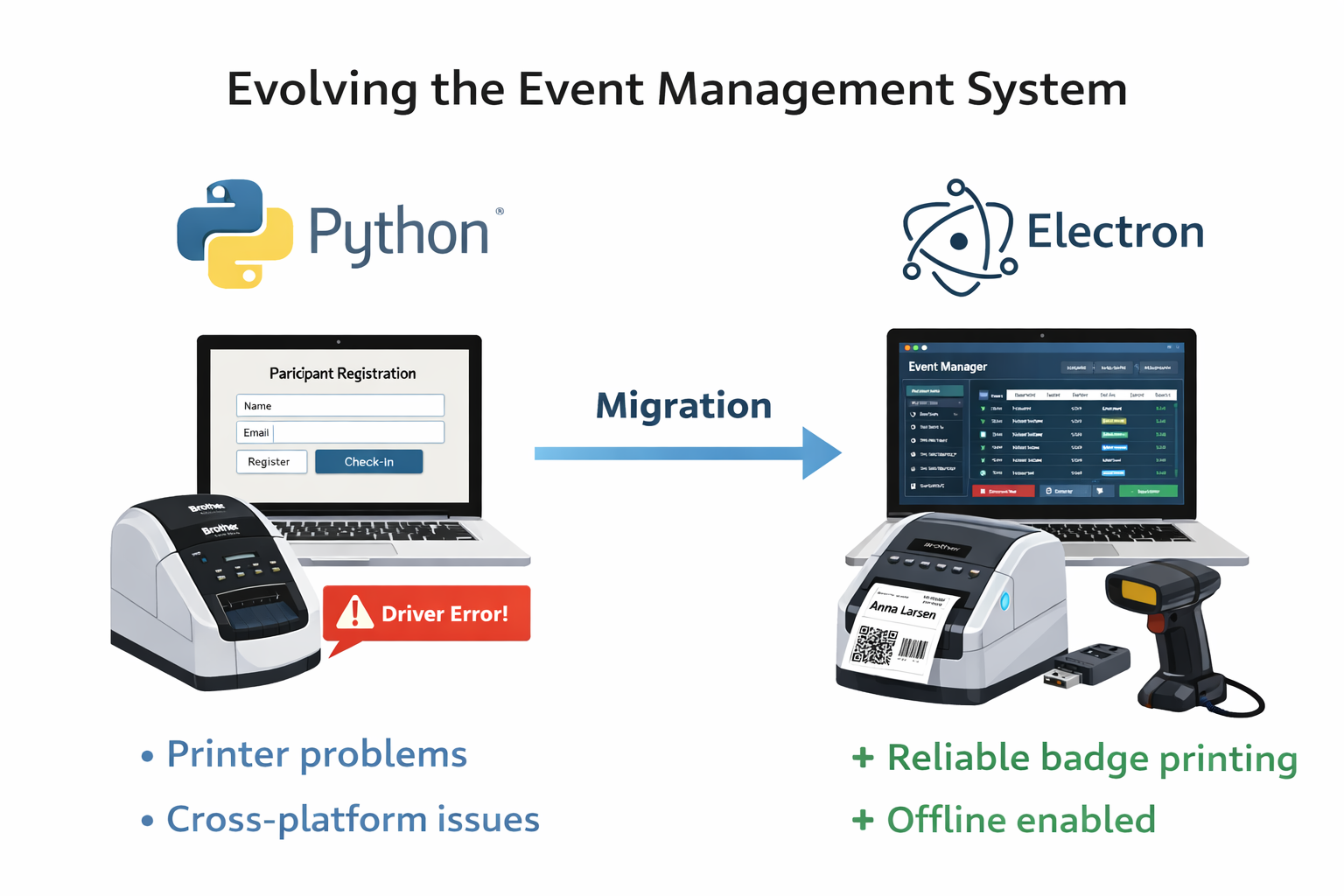
From Python to Electron: Building a Reliable Event Management System (and Everything That Went Wrong First)
When we started building a professional event registration and check-in system for NABA (Norwegian African Business Association), the idea seemed straightforward:
- Register participants
- Scan barcodes
- Print badges
- Track attendance
Simple, right?
Not quite.
What began as a small Python desktop project quickly evolved into a full-scale Electron application with custom driver engineering, hardware debugging, offline handling, and AI-assisted development.
Here’s the real story behind it.
Phase 1: The Python + Tkinter Approach
The first version was built using Python and Tkinter.
Why?
- Fast to prototype
- Lightweight
- Easy to get started
- Minimal setup
At first, it worked. On my machine.
But the moment we started testing across different PCs, problems appeared:
- Tkinter UI behaved inconsistently across Windows machines
- Different Python versions caused dependency conflicts
- Packaging to
.execreated unstable builds - Antivirus and Windows Defender flagged executables
- UI felt outdated and visually limited
We quickly realized something important:
Building software for yourself is easy.
Building software that runs reliably on all event machines is not.
The Brother QL Printer Nightmare
The system required integration with Brother QL label printers (QL-700 / QL-800 series).
That’s where things became difficult.
We tried several Python libraries:
- Some worked only via command line
- Some didn’t support Windows properly
- Some failed with newer firmware versions
- Some crashed during batch printing
During live events, printer failure is not acceptable.
You cannot tell 200 guests to “please wait, the driver crashed.”
It became clear that the Python ecosystem wasn’t giving us the robustness required for professional live usage.
The Big Pivot: Moving to Electron
We made a strategic decision:
Start over in Electron.
Why Electron?
- Cross-platform reliability
- Modern UI capabilities
- Strong Node.js ecosystem
- Better access to hardware libraries
- Easier packaging with Electron Builder
The rewrite was not small.
But it was necessary.
The Next Problem: Broken Printer Driver (Again)
We found a Node-based Brother QL driver.
It looked promising.
Until we discovered it was built for an older Node version.
Electron v38 uses a different Node ABI, and the driver’s native bindings failed to compile.
Errors everywhere:
- Version mismatch
- Build failures
- Native module crashes
- ABI incompatibility
At this point, most developers would either downgrade Electron or give up.
I chose another path.
Using AI as a Development Partner
Instead of abandoning the driver, I decided to rebuild it properly.
Using AI as a technical co-pilot, I:
- Reverse-engineered the existing driver
- Updated native bindings
- Recompiled modules against the correct Electron version
- Patched compatibility issues
- Improved buffer handling for faster printing
- Added better error handling and reconnect logic
The result?
A more stable driver than the original.
Printing became:
- Faster
- More reliable
- Stable under high load
AI didn’t replace my skills — it accelerated them.
Additional Challenges Along the Way
1. USB Barcode Scanner Detection
Some machines detected the scanner as:
- A HID keyboard
Others as: - A serial device
So I implemented dynamic detection logic with fallback strategies to ensure check-in always worked.
No matter the hardware mode.
2. Offline Event Mode
Events don’t always have stable internet.
So we built:
- Local caching
- Sync queues
- Retry logic
- Conflict handling
Check-ins work offline and synchronize when the connection returns.
This dramatically improved reliability during live events
3. Performance at Scale
With large events, participant search became slow.
Renderer processes were overloaded.
I optimized:
- Data structures
- Filtering logic
- Reduced unnecessary re-renders
- Improved memory usage
The system now handles large participant lists smoothly.
4. Cross-Platform Distribution
Using Electron Builder, we packaged for:
- Windows (NSIS)
- macOS (DMG)
- Linux (AppImage)
Each platform required:
- Different configurations
- Code signing
- Handling Windows Defender warnings
- Testing installer permissions
Cross-platform is never “build once, done.”
What This Project Taught Me
- The first technical choice is rarely the final one.
- Hardware integration is always harder than expected.
- Stability matters more than elegance.
- AI is a force multiplier when used correctly.
- Sometimes the right decision is to rewrite.
What started as a small Python project became a production-ready, cross-platform desktop system with:
- Real-time barcode scanning
- Reliable badge printing
- Backend synchronization
- Excel export
- Offline capability
- Custom hardware drivers
And most importantly:
A stable, professional experience during live events.
Final Reflection
The most valuable part of this project wasn’t the technology.
It was learning when to pivot, when to rebuild, and when to go deeper instead of giving up.
Good software isn’t built by avoiding problems.
It’s built by solving the hard ones properly.